Training

UtilizeCore
Support Emails
- UtilizeCore Support Team | support@utilizecore.com
- Mike Burke (Technology) | mb@caliberservicemgmt.com
- Scott Dentremont (Accounting) | sdentremont@caliberservicemgmt.com
24 Hour UC Support
- UtilizeCore Help Center
- Phone | (516) 788-8411
- Click the ? in the top right corner of the UC Dashboard
Latest UtilizeCore Release Notes
Enhancement & Bug Fix Announcement – 12/4/23
Web Enhancements
Added Conditional Task (Either/Or) Functionality for Tasks in Service Actions> Advanced Settings:
- Users can now define either/or conditions for tasks in Service Actions> Advanced Settings.
- This feature provides enhanced flexibility and control over task management workflows via mobile.
Mobile Enhancements
Added Either/Or Functionality for Tasks:
- Users can now utilize either/or conditions for tasks, offering increased adaptability in task completion.
- Note: Once a task with a timer is started, there is no way to go back.
Auto Population of Rates during Invoice Creation:
- The mobile app now supports the auto-population of rates during invoice creation, streamlining the billing process for users on mobile devices.
Work Order Creation Enhancements:
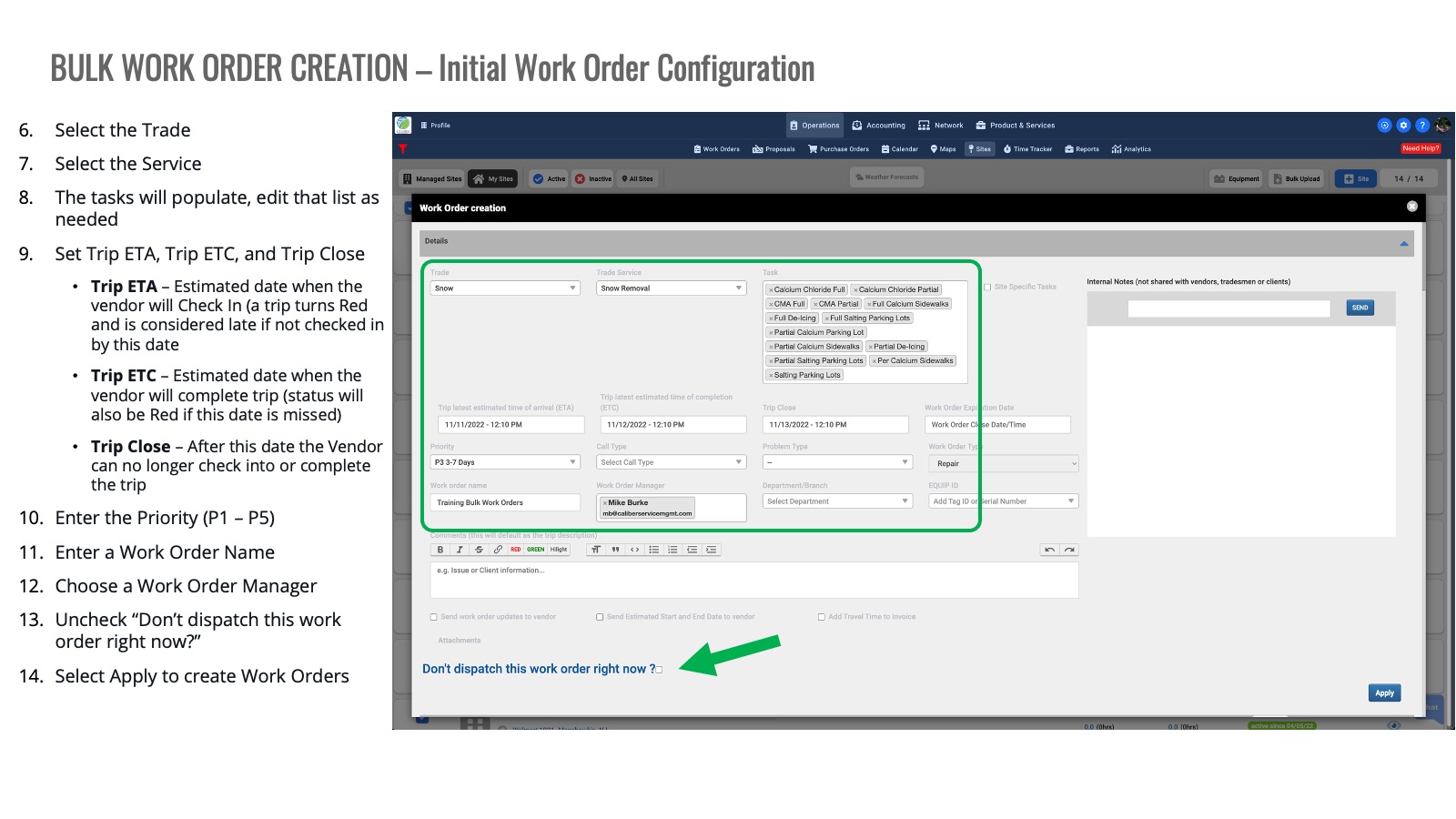
- Priority-based features now auto-populate the Work Order expiration field during creation.
- Trip ETA and ETC are automatically populated for improved scheduling.
Trip Creation Enhancements:
- Users can now seamlessly add Trade, Service, and Task details to trips during creation.
Text Change:
- The 'Check Notes' label has been updated to 'Work Order Notes' for clarity.
Interface Updates:
- The Profile icon has been replaced with the Setting Icon for a more intuitive mobile user experience.
Invoice Enhancements:
- Added Invoice TO Client Address field during Invoice Creation.
- Introduced the ability to create Vendor Invoices directly from the Broker.
Added Ability to Select User as Themselves While Completing Tasks:
- Users now have the flexibility to select themselves when completing tasks.
Removed Warning Message for Task Revisits:
- The warning message for revisiting tasks has been removed, providing a smoother user experience.
Bug Fixes:
- Fixed Notes icon in Work Order List View which was not displayed if Notes are added from UC mobile app.
- Resolved the problem where 'Unit of Measure' was not populated in Invoice Line Items for Materials added through Custom Form.
- Fixed iPad users being unable to see the Signature Name Field during Check In/Out, causing user blockage.
- Fixed Permanent Site and Client Instructions not being displayed on Mobile for Vendor.
- Resolved the problem with Invoice attachments not displayed with correct file extension in emails.
- Fixed problem with Due Date that will now pre-populate as per selected payment terms.
- Resolved issue with Custom Form Signature displayed in Black Color.
Enhancement & Bug Fix Announcement – 11/24/23
Enhancements
Employee Permissions:
Enhanced employee permissions by splitting them into Add, Edit, and Delete categories.
Work Order Bulk Upload:
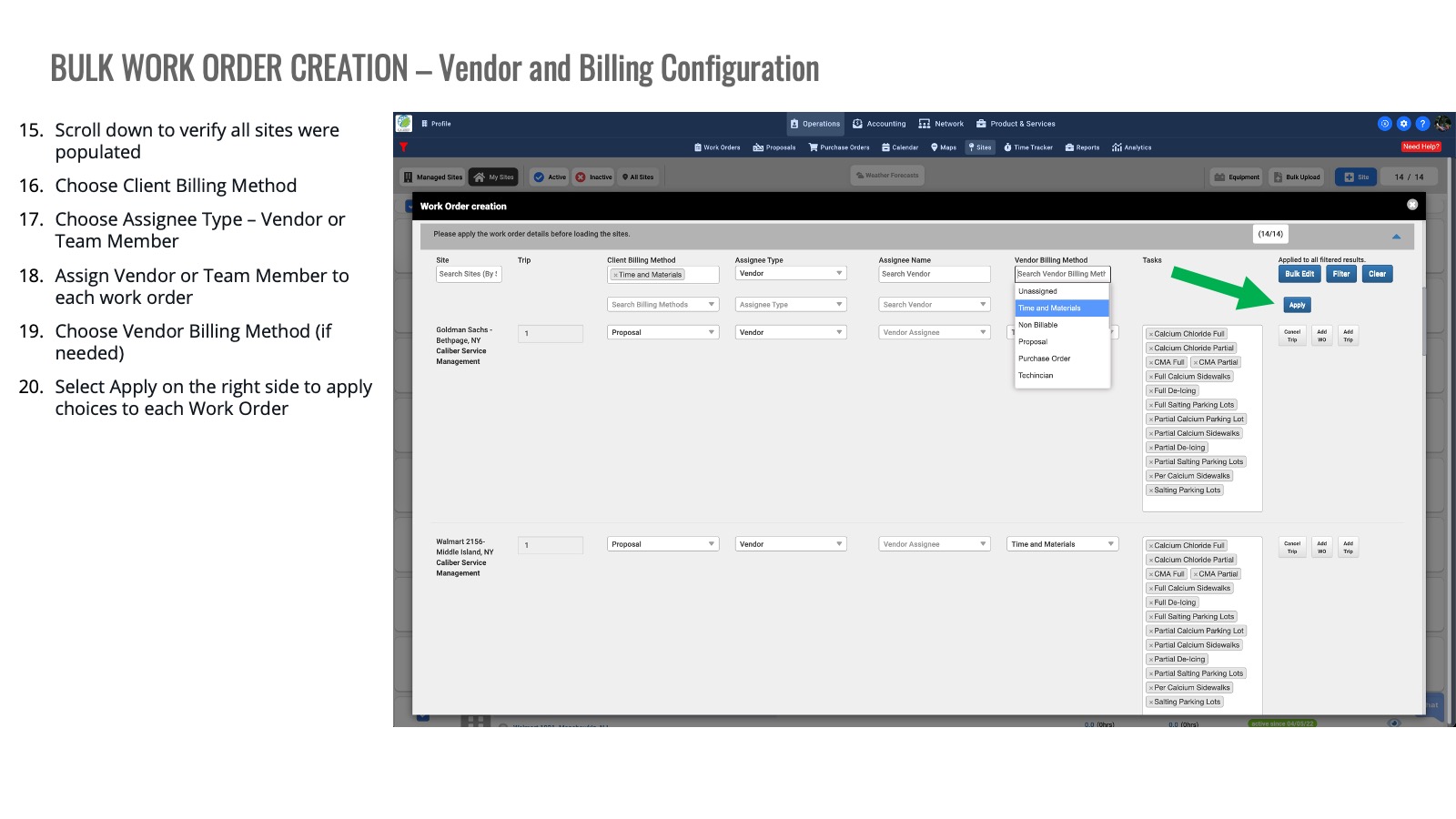
Added Trip Client Billing Method in the Work Order Bulk Upload feature.
Work Order Frequency Scheduler:
Added a Work Order Description field on the Work Order Frequency Scheduler for ongoing agreements.
Third-Party Integration (Weather Work for Work Orders):
Improved the functionality of the third-party integration, specifically Weather Work for Work Orders.
Bug Fixes
Bulk Cancel Work Orders:
Resolved errors related to the bulk cancel work orders functionality.
Trip Client Billing Method:
Corrected the functionality of the Trip Client billing method for invoicing when the Work Order billing method is Proposal.
Validation for Business Phone Number:
Corrected the validation for business phone numbers.
Offline Chat:
Fixed the offline chat where the email ID should not be the sender for offline chat messages.
Invoice Line Items:
Fixed an issue where Invoice Line Items were duplicating after reverting to Custom Status in Trip Invoice.
Please reach out to Support@utilizecore.com or use the chat box below for any questions!

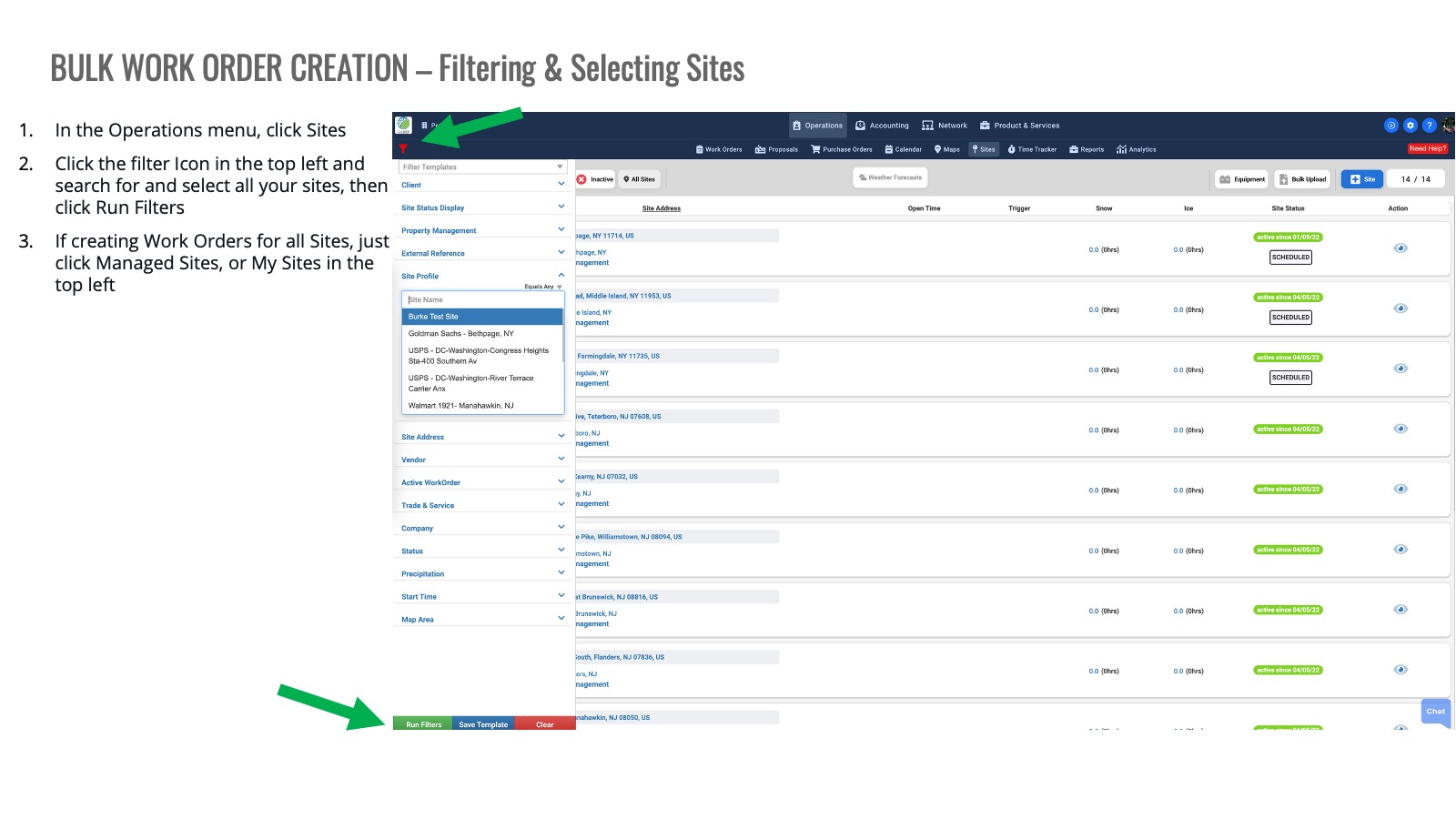
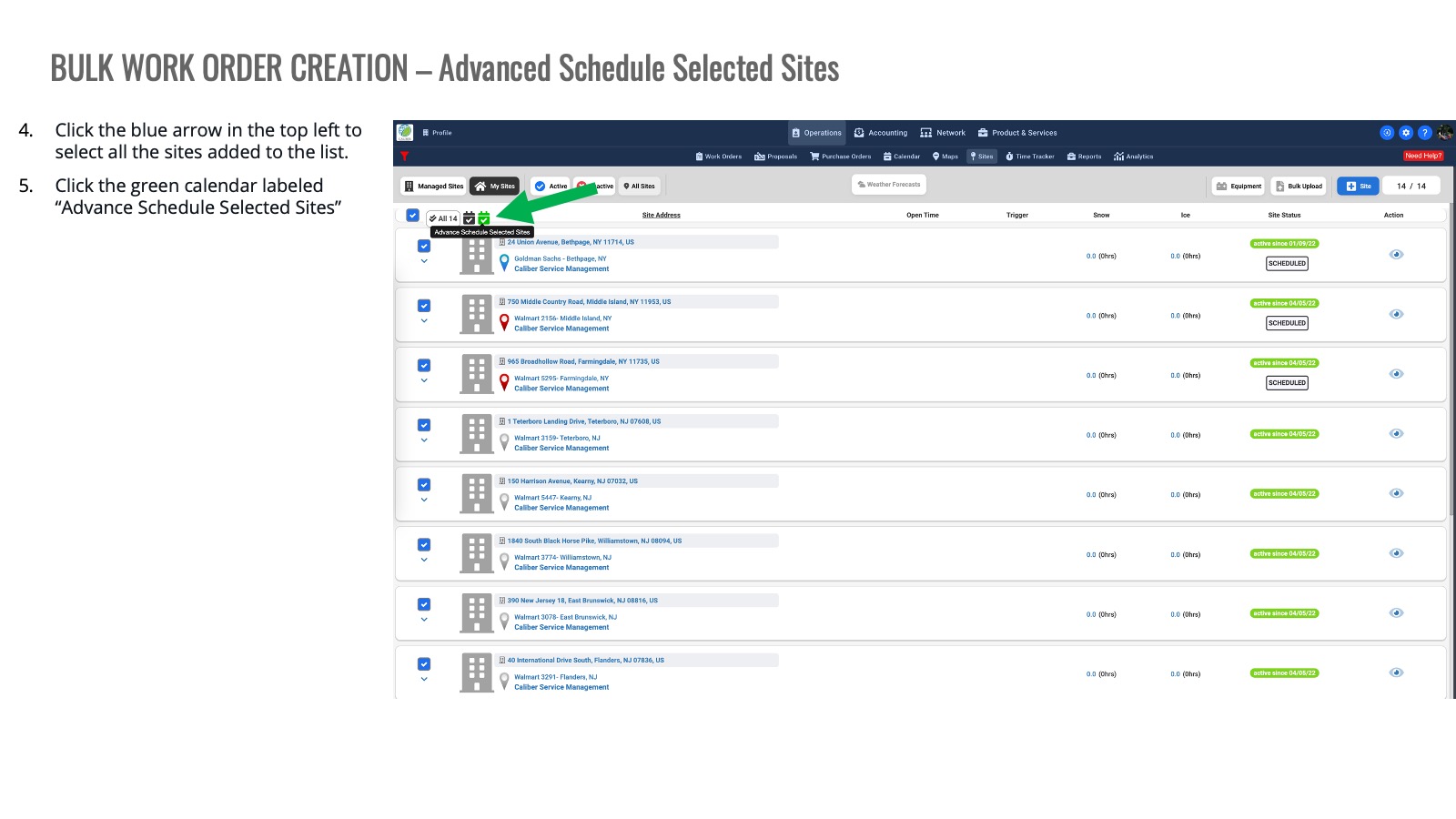

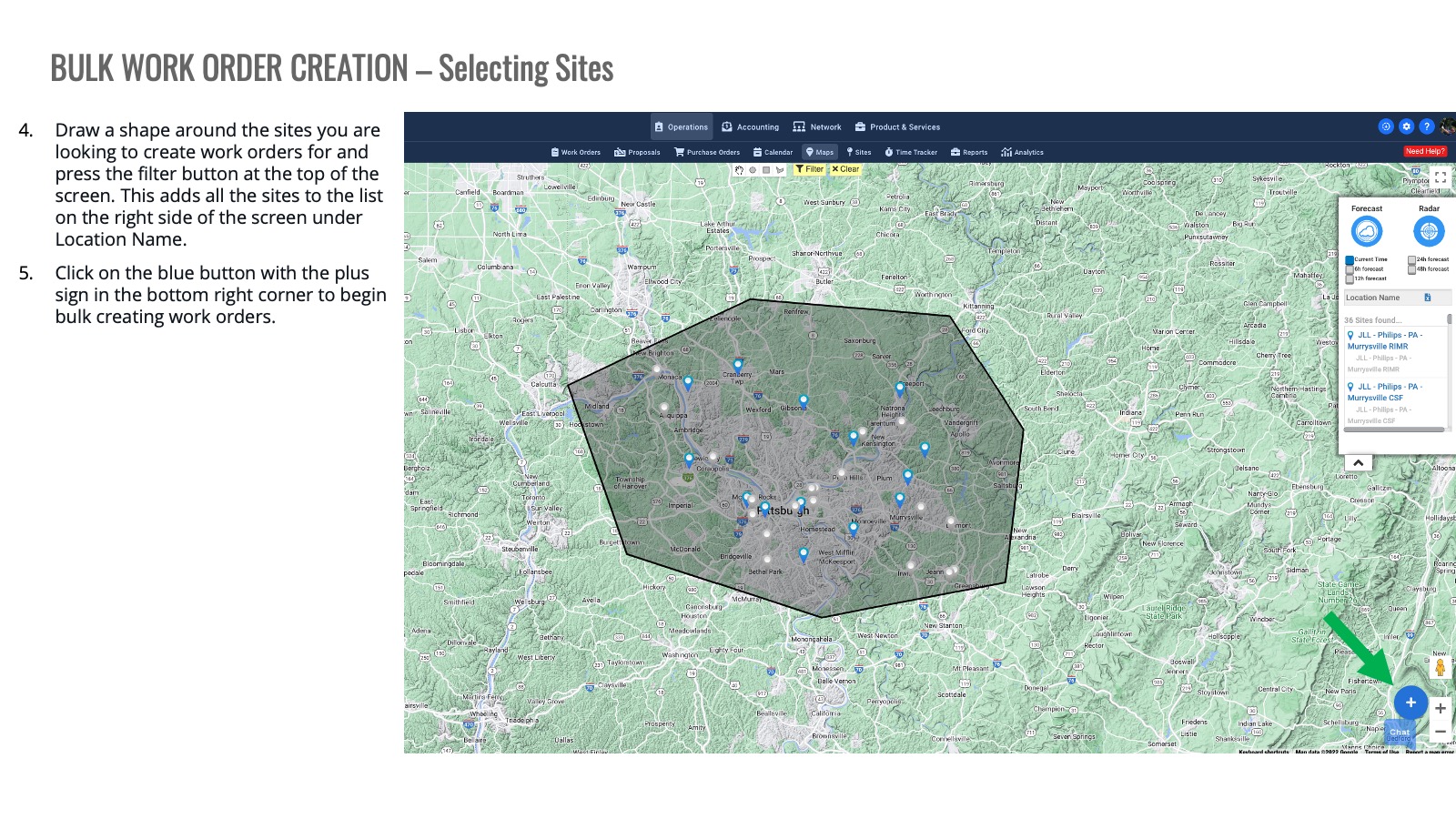
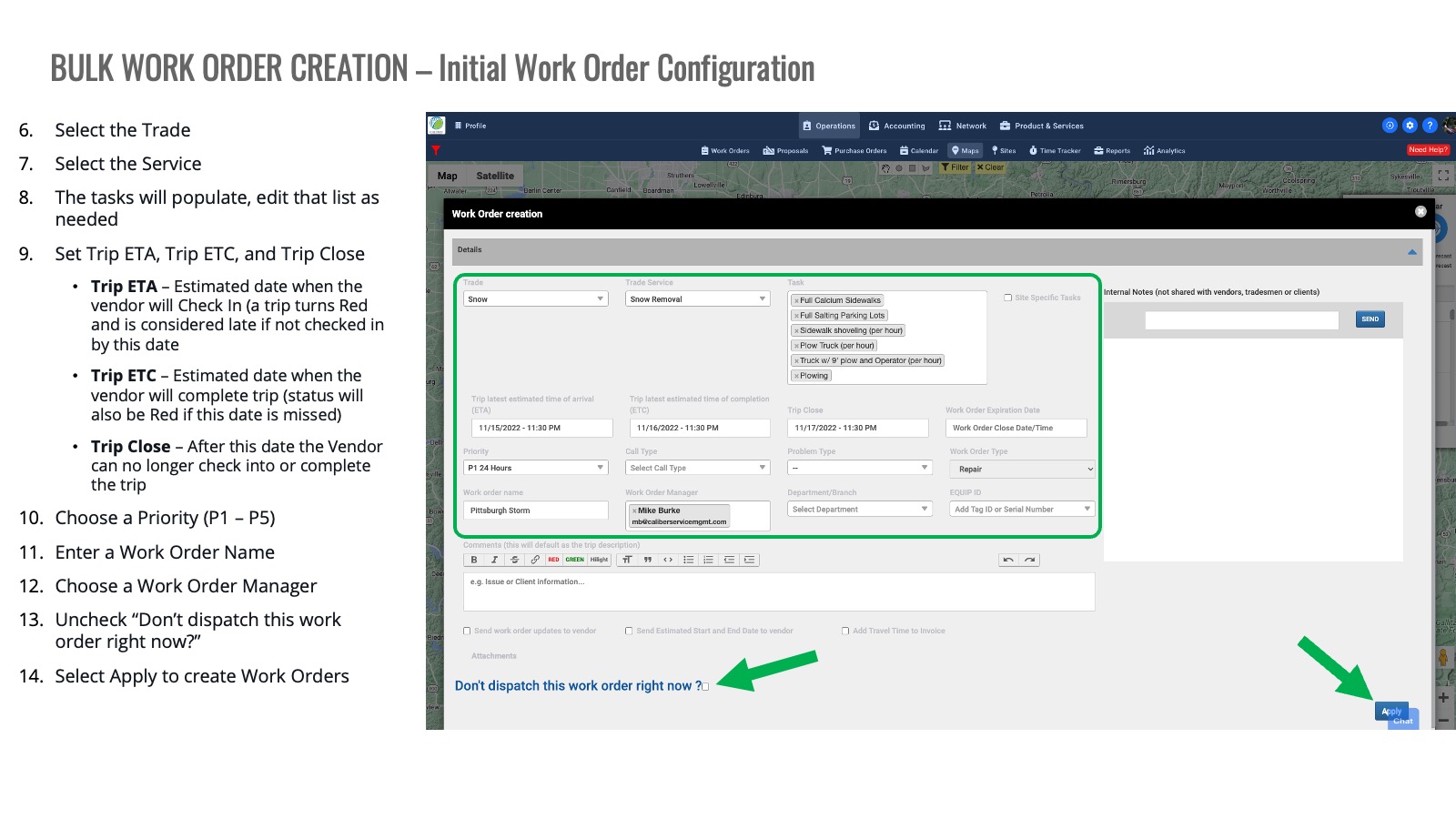
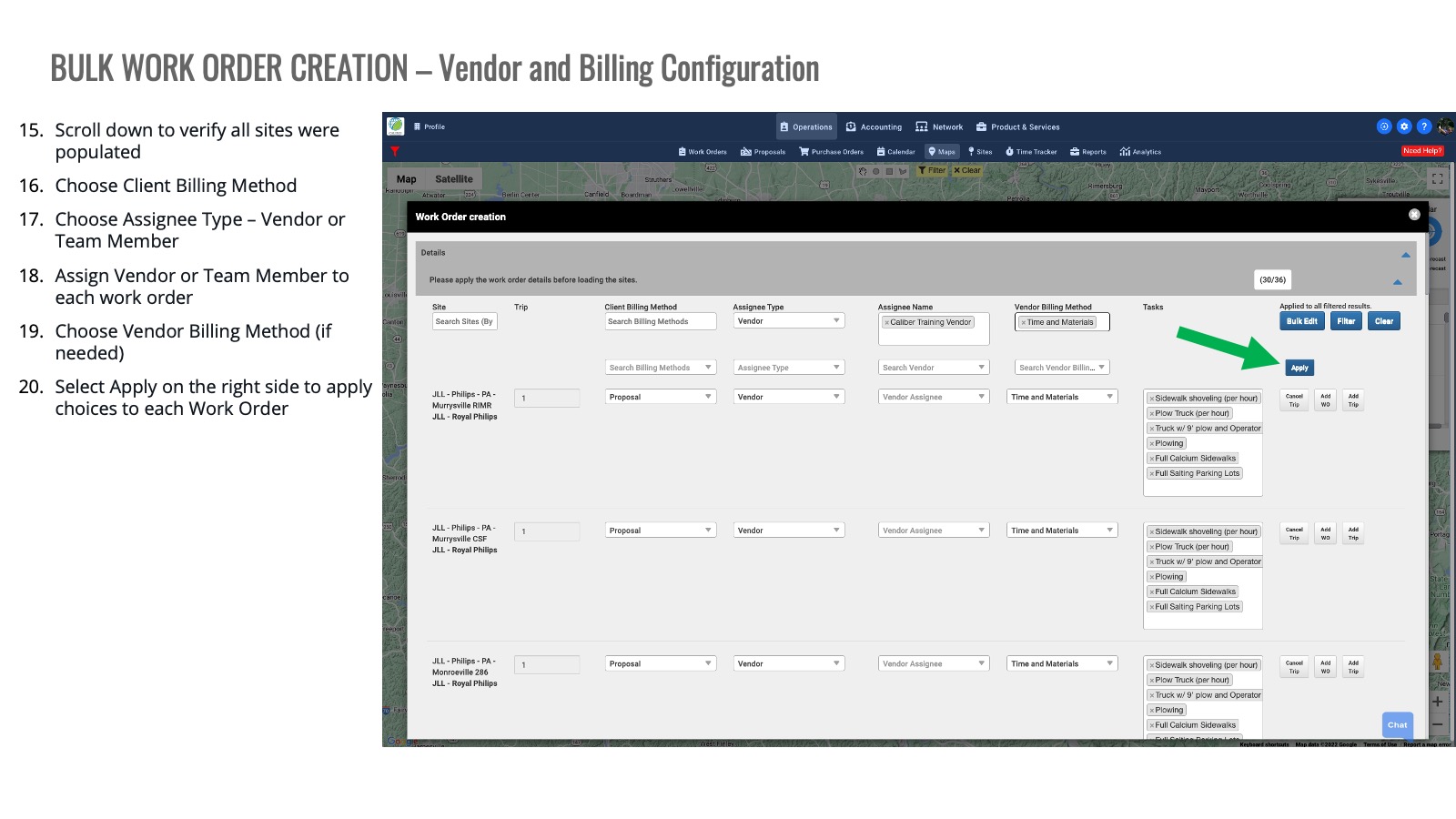
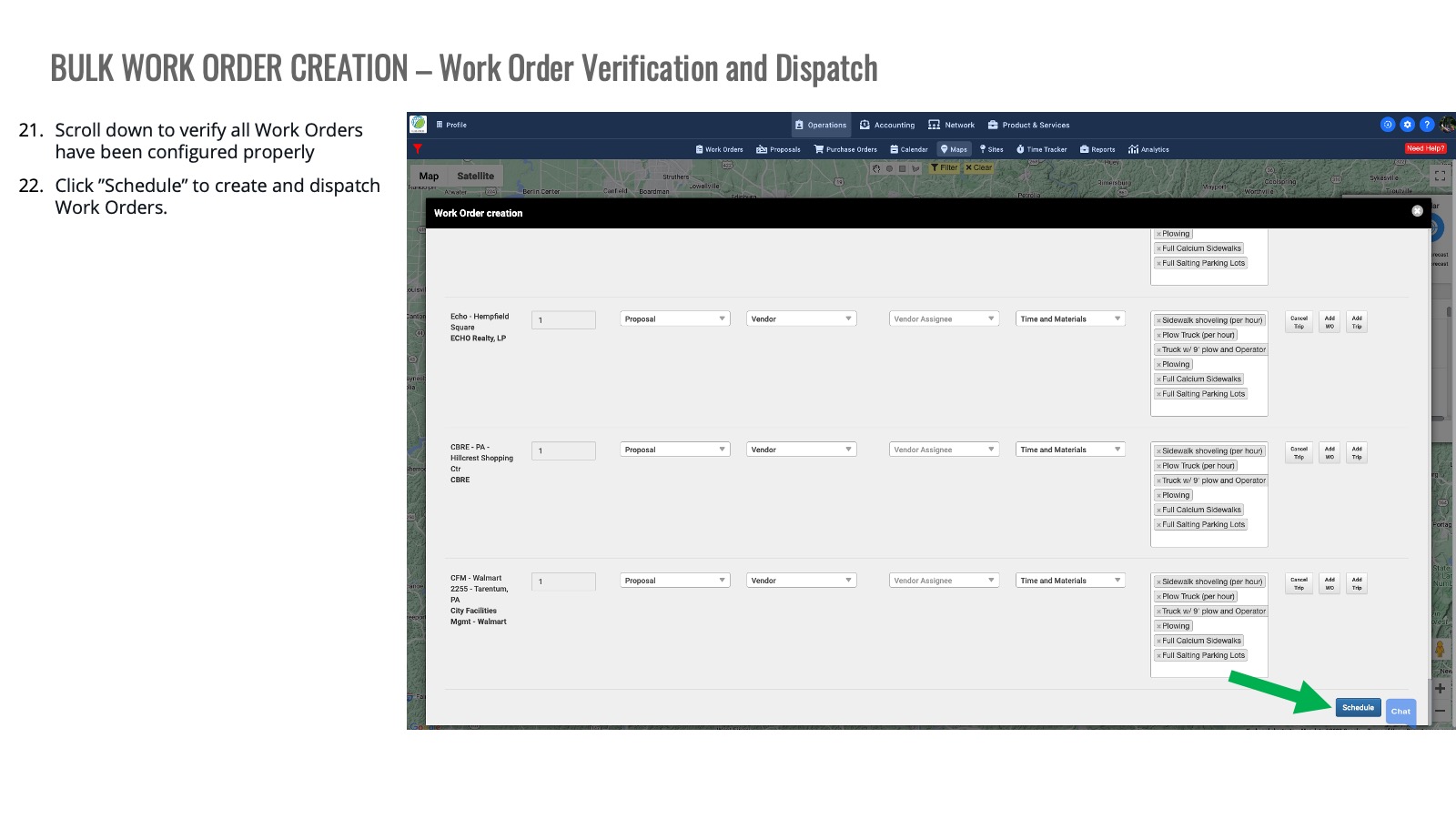



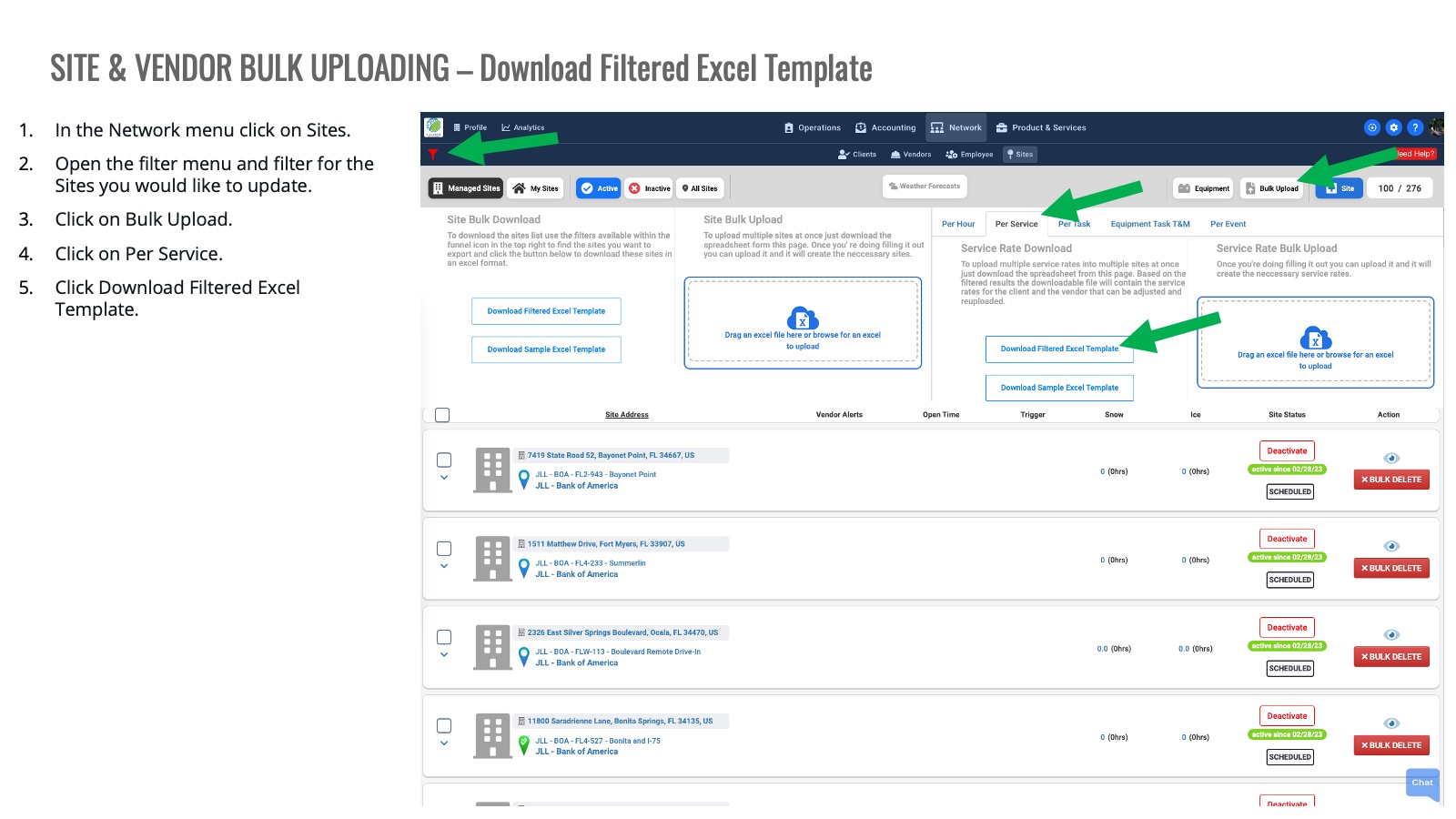
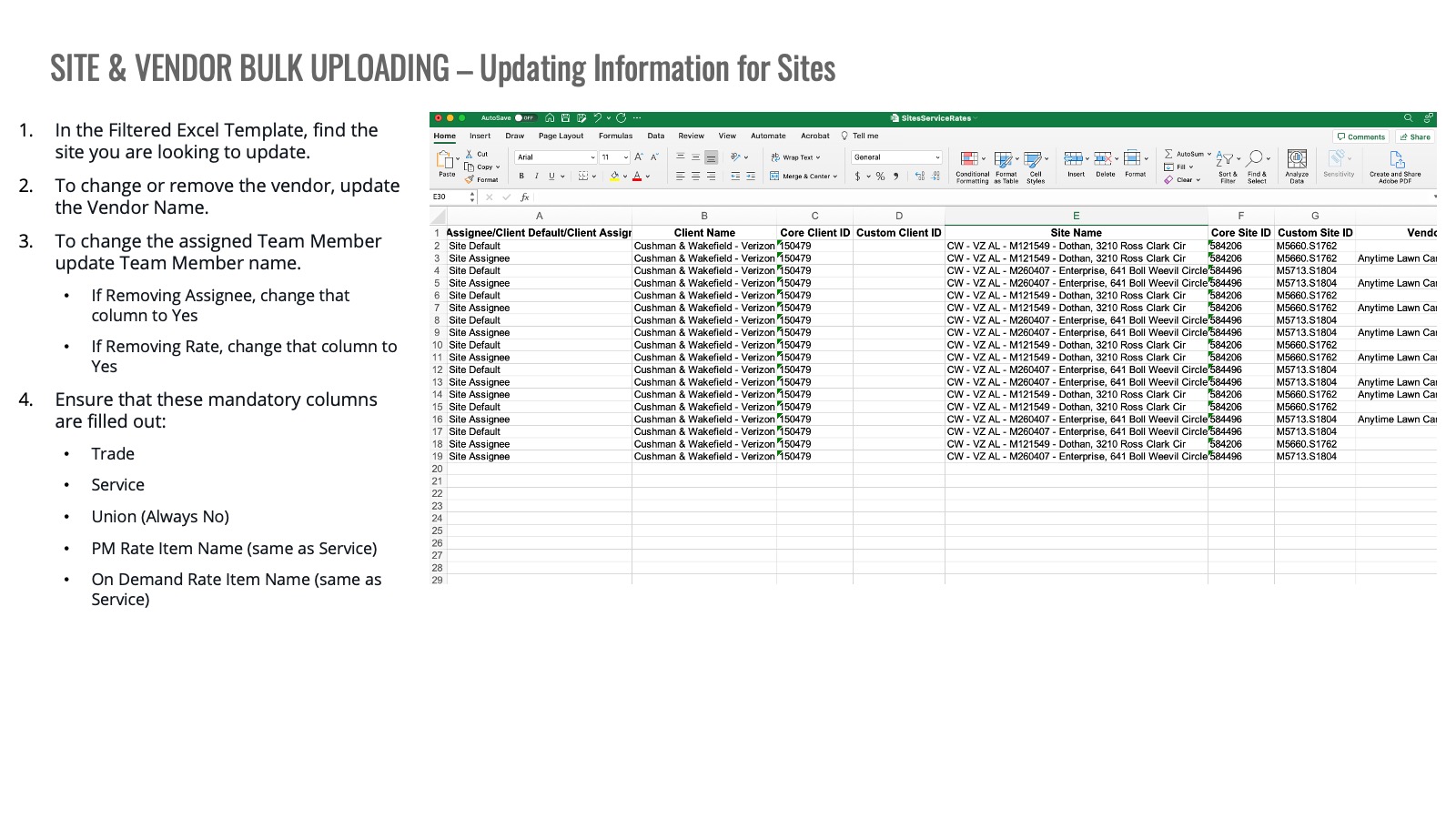
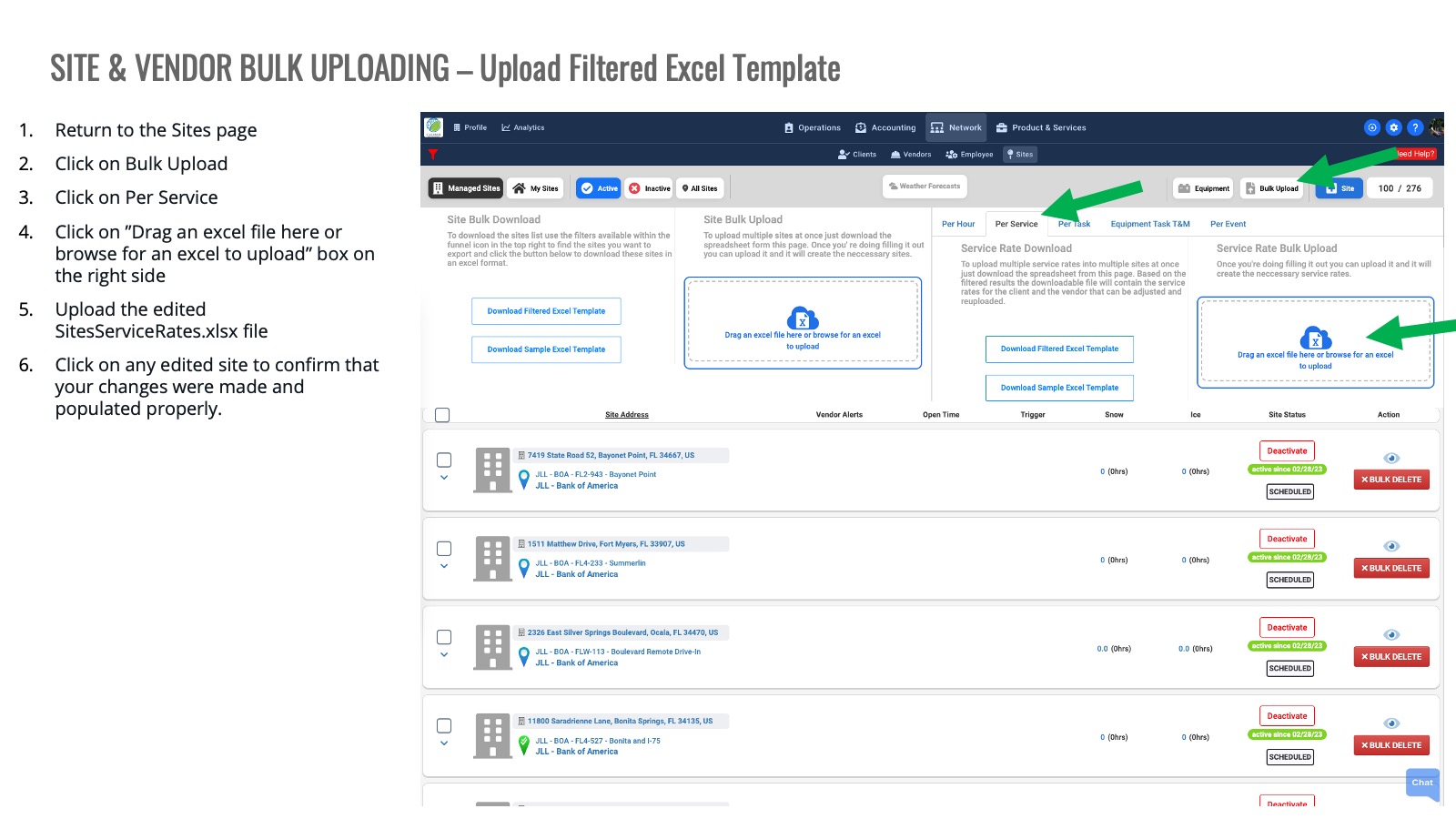
Step-by-step Training